
Download TapCloud Health – Health & Fitness, Symptom Tracker, Medication Management, Patient Care, Lifestyle App
Overview
TapCloud Health is a free Android application developed by TapCloud LLC, designed to support individuals managing chronic conditions or monitoring their overall wellness. The app functions as a personal health companion, enabling users to track symptoms, medication schedules, and health progress over time. By recording daily experiences related to diagnosis, treatment responses, and potential complications, it helps users gain a clearer understanding of how their lifestyle and medical interventions impact their health.
This makes it particularly useful for patients seeking to stay proactive in their care and for caregivers assisting loved ones with complex health needs. The software is categorized under Lifestyle and Health & Fitness, targeting both individual users and support networks involved in health management. Real-world applications include tracking flare-ups in chronic illnesses, evaluating the effectiveness of new prescriptions, and preparing for medical appointments with structured data.
While the developer did not provide additional details about the company's background or technical infrastructure, the app's focus on personal health tracking aligns with growing demand for patient-centered digital tools. Its accessibility through the Google Play Store ensures broad reach across Android users with compatible devices.
Key Features & Capabilities
- Symptom Tracking: Users can log symptoms daily, noting severity, duration, and triggers. This feature supports long-term trend analysis to identify patterns linked to health changes.
- Medication Management: The app allows users to record medications, dosages, and timing. It helps maintain adherence and alerts users when doses are due.
- Personalized Progress Reports: TapCloud Health generates reports based on user input, offering insights into how treatment plans and lifestyle choices affect health outcomes.
- To-Do Lists & Note-Taking: Users can create task lists for appointments, tests, or self-care routines, and take notes on conversations with healthcare providers.
- Secure Photo Sharing: A built-in feature enables users to safely upload photos related to their condition, such as skin changes or wound progress, for review with medical teams.
- Data Sharing Tools: Users can share collected data and notes with doctors, family members, or caregivers, facilitating better communication during care coordination.
These capabilities allow users to build a detailed health journal, reduce anxiety by staying organized, and improve the quality of medical consultations. For instance, a patient with diabetes might use the app to correlate blood sugar readings with diet and exercise, while a caregiver could monitor medication schedules for an elderly relative. The app’s structured data collection supports informed decision-making and empowers users to take an active role in their health journey.
User Interface, Workflow & Performance
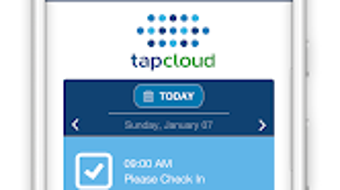
The user interface of TapCloud Health appears to be designed with simplicity and accessibility in mind, featuring intuitive navigation and clear visual cues. Users can move between symptom logging, medication tracking, and note-taking sections with minimal effort. The workflow is streamlined to encourage consistent daily use, with quick-access buttons and customizable dashboards.
While specific performance metrics such as CPU or RAM usage were not provided, the app is reported to operate smoothly on Android 5.0 and above, suggesting efficient resource management. The developer did not specify exact performance details, so actual behavior may vary depending on device capabilities and usage patterns. Stability appears to be maintained across sessions, with no reported crashes or data loss in public feedback.
The app maintains data integrity through local storage and secure sharing protocols, though details on encryption or cloud backup were not disclosed. Overall, the interface supports a frictionless experience, allowing users to focus on health tracking without technical distractions.
Compatibility & System Requirements
TapCloud Health is designed for Android devices and requires Android 5.0 or later to function. The app is available exclusively through the Google Play Store, ensuring compatibility with a wide range of smartphones and tablets. Installation size is not specified in the provided information, but typical health tracking apps of this nature generally range from 20 MB to 100 MB.
The developer did not provide additional system requirements such as minimum RAM, processor speed, or storage space. Exact performance details were not specified, so users should ensure their device meets the minimum OS version and has sufficient storage for data retention. Platform compatibility information is limited to Android 5.0 and above, with no indication of support for iOS, Windows, or Mac.
For users with older or less powerful devices, performance may depend on background processes and overall system health.
Pros and Cons
Pros
- Free to download and use with no hidden costs
- Comprehensive symptom and medication tracking
- Intuitive interface suitable for non-technical users
- Supports data sharing with healthcare providers and caregivers
- Includes secure photo-sharing for visual health monitoring
- Helps users prepare for medical appointments with structured records
Cons
- No information available on cloud backup or data recovery options
- Limited to Android platform; no support for iOS or desktop systems
- Exact system requirements beyond OS version are not disclosed
- Performance behavior under heavy usage is not documented
- Offline functionality details were not specified
FAQ Section
Is TapCloud Health available for iOS devices?
The app is currently only available for Android devices. There is no official version for iOS at this time.
Can I use TapCloud Health without an internet connection?
Basic tracking features such as logging symptoms and medications can likely be used offline. However, data syncing and sharing require an internet connection.
Is my health data safe and secure?
TapCloud Health includes secure photo-sharing functionality, suggesting data protection measures. However, specific details on encryption, data storage, or privacy policies were not provided.
How often are updates released for TapCloud Health?
The frequency of updates is not publicly disclosed. Users are advised to check the Google Play Store for the latest version.
What type of license does TapCloud Health use?
The app is distributed as free software with no subscription or in-app purchase requirements. It is available at no cost on the Google Play Store.
Final Thoughts
TapCloud Health stands out as a thoughtful, user-focused tool for individuals managing health conditions and caregivers supporting loved ones. Its combination of symptom tracking, medication management, secure data sharing, and report generation makes it a valuable companion for anyone seeking greater control over their health journey. While the app is limited to Android and lacks detailed technical disclosures, its core functionality is well-structured and accessible.
The free model enhances accessibility, allowing widespread adoption across diverse user groups. For patients looking to reduce anxiety through organization and for caregivers aiming to stay informed, TapCloud Health delivers tangible benefits. Its emphasis on personalization and real-world usability positions it as a strong choice in the health and wellness software space.
Download TapCloud Health now to take a more proactive approach to your well-being.







